MARKETING
If someone in your area searches for what you sell and you don’t appear on the map, you don’t exist to that customer. They’re choosing from the three businesses shown in the map pack, and if you’re not one of them, the call goes somewhere else.
Getting on Google Maps is free and takes about 20 minutes. Ranking in the map pack takes longer — but it starts with the same first step. Here’s exactly how to do it.
Step 1: Claim or Create Your Google Business Profile
Go to business.google.com and sign in with a Google account. Search for your business name. If it already exists — Google sometimes creates listings automatically from web data — claim it. If it doesn’t exist, create a new profile from scratch.
You’ll need to verify ownership. Google usually sends a postcard to your business address with a 5-digit code, though phone and email verification are available for some businesses. The postcard arrives in 5–14 days. Don’t skip this step — unverified profiles don’t rank.
Step 2: Fill in Every Single Field
This part matters more than most people realize. Google uses profile completeness as a ranking signal. A complete profile outranks an incomplete one, all else being equal.
- Business name — exactly as it appears on your website and other listings. No keyword stuffing, no location modifiers added artificially.
- Category — choose your most specific primary category. “Plumber” beats “Home Services.” You can add secondary categories too.
- Address — physical address if you serve customers there, or set up a service area if you go to them.
- Phone number — local number preferred. Must match your website exactly.
- Website URL — link to your homepage.
- Business hours — including holiday hours when they change.
- Description — 750 characters. Use your city name, core services, and what makes you different. Write it like a person, not a keyword list.
Step 3: Add Real Photos
Businesses with photos get significantly more clicks than those without. That’s not opinion — Google’s own data shows it. Upload photos of your team, your location, your work, your products. Add new ones monthly. Freshness matters.
Cover photo and logo are the most important. Then add at least 5–10 interior or exterior shots. For service businesses, before-and-after or in-progress photos perform well. Avoid stock images — Google’s algorithm and customers both notice.
Step 4: Get Google Reviews Consistently
Reviews are one of the strongest local ranking signals. You need them and you need to keep getting them — not just a burst when you first claim your profile.
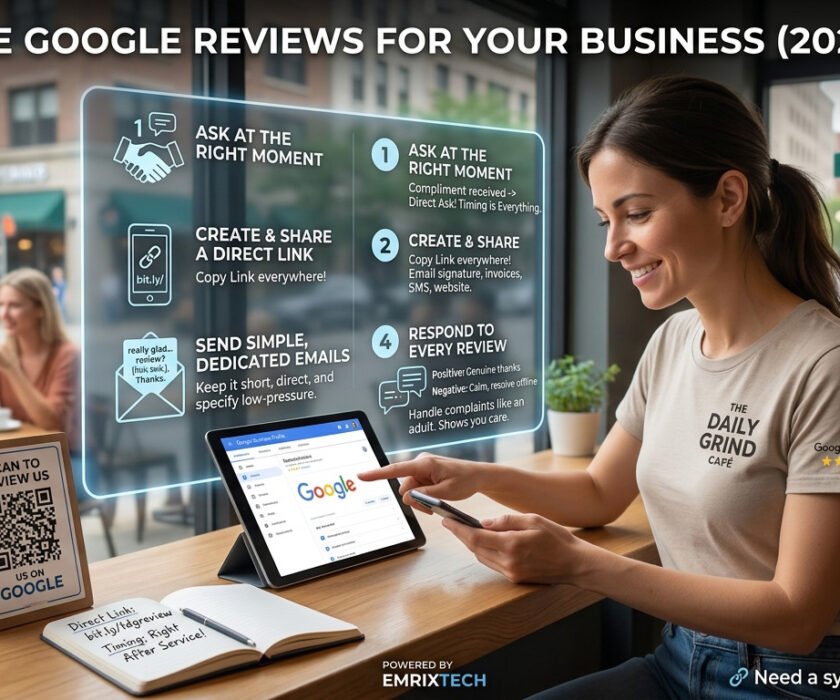
The simplest approach: after every satisfied customer interaction, send a short email with a direct link to your Google review page. Most people who’ve had a good experience will leave a review if you make it a two-click process. Make them hunt for it and they won’t bother.
Respond to every review — positive ones with a genuine thank-you, negative ones with a calm, professional response. How you handle negative reviews tells potential customers more about your business than the review itself.
Want a full strategy? Read our guide: How to Get More Google Reviews for Your Business.
Step 5: Post Regularly
Google Business Profile has a Posts feature most businesses ignore completely. Use it. Post updates, promotions, new services, blog content — anything that shows Google your profile is actively maintained. Weekly is ideal. Monthly is fine. Never posting is a quiet ranking disadvantage you don’t need to carry.
How Long Until You Show Up on Google Maps?
You’ll appear on Google Maps relatively quickly after verification — often within a week. Ranking in the three-pack map pack is different. That depends on your competition, review count, and how well your website is optimized to support local signals.
In low-competition suburbs like Naperville or Oak Park, you can crack the map pack within 30–60 days of a properly optimized profile. In competitive Chicago neighborhoods or dense service categories, it takes longer. Our Local SEO Chicago guide goes deep on what moves the needle in the map pack specifically.
What you can control is the completeness and activity of your profile. Do that right and the rankings follow.
Frequently Asked Questions
Do I need a physical address to appear on Google Maps?
For the map pack, generally yes. Service-area businesses — those that travel to customers — can hide their address but still appear in local searches for the areas they serve. You set the service area in your profile settings. A physical address typically produces stronger local rankings than a service-area-only listing.
Someone else claimed my business on Google — what do I do?
Google has a process for requesting access from the current owner or disputing ownership. Go to your Google Business Profile, search for your business, and click “Request access.” If the current owner doesn’t respond within 7 days, Google may transfer ownership to you based on your verification.
Can I appear on Google Maps without a website?
Yes, but your map pack ranking will be weaker. Google cross-references your Business Profile with your website for consistency and content signals. Even a simple, fast website helps. A site that’s specifically built for local SEO — with your NAP, schema markup, and location-relevant content — helps a lot.
Why do my competitors rank above me even though I have more reviews?
Reviews are one signal among several. Check whether your primary category is set correctly, whether your business name, address, and phone number match exactly across your website and all directories (this is called NAP consistency), and whether your website has local content and LocalBusiness schema markup. Usually the gap is in one of those three areas.
How do I get more reviews without it feeling awkward?
Timing matters more than the ask itself. Right after a positive interaction — end of a successful project, a happy client email — that’s the moment. Something like: “I’m glad it went well. If you have a moment, a Google review would really help us. Here’s the direct link.” Simple, low-pressure, and it works because you’re asking when goodwill is highest.
Related Reading:
Local SEO in Chicago: The Complete 2026 Guide
How to Rank Your Business on Google in 2026
Small Business Website Not Converting? 7 Honest Reasons
Need help with your Google Maps ranking? Contact EmrixTech for a free local SEO audit — we’ll show you exactly what’s holding your listing back.