TECHNOLOGY
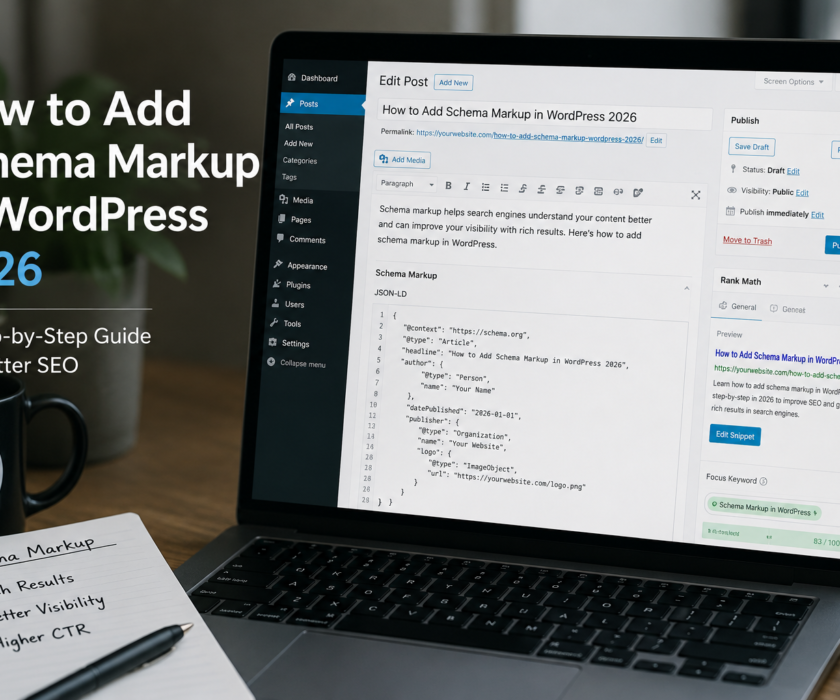
FAQ schema markup is a structured data code block that tells Google — and AI platforms — that a section of your page contains questions and their answers. The implementation in WordPress takes about five minutes. The SEO impact is real and immediate for eligible pages.
Pages with FAQPage schema are eligible for rich results in Google — the expandable FAQ accordions that appear directly under your search result, taking up more space and adding click points. They’re also more likely to get cited in AI Overviews and ChatGPT responses because the question-answer format is exactly what AI systems extract and use.
What FAQ Schema Actually Does
FAQPage schema tells Google that specific text on your page represents a question and its complete answer. Google can then display those questions directly in search results as expandable accordions — more visible than a standard result, occupying more vertical space on the page.
AI platforms use the same structured data to identify extractable Q&A pairs when building responses. A page with properly marked FAQ schema is faster for AI to parse than a page with identical content but no schema. When two pages have similar quality content, the one with proper schema has a meaningful advantage for AI citation.
How to Add FAQ Schema in RankMath (WordPress)
- Open the post or page in your WordPress editor
- Click the RankMath icon in the top right toolbar
- Click the Schema tab inside the RankMath panel
- Click Schema Generator
- Select FAQPage from the list of schema types
- Add your questions and answers — one field pair per question
- Save — RankMath adds the JSON-LD code to your page automatically
Verify it worked at Google’s Rich Results Test — paste your URL and you should see FAQPage detected without errors within a few minutes of publishing.
What Questions to Include
Your FAQ section should answer the questions your actual customers ask — not questions you made up to fill space. The best sources for real questions:
- Google’s People Also Ask box — search your target keyword and screenshot what appears
- Google Search Console — filter by queries where you have impressions but low click-through rate
- Customer conversations — questions that come up in emails, calls, and consultations
- “Also searched for” suggestions at the bottom of Google results
How Many Questions Per Page?
4–6 is the right range for most pages. Fewer than 4 and you’re missing opportunities. More than 8 tends to dilute — the less important questions crowd out the ones that match high-intent searches.
Each answer should be 2–4 sentences. Complete, specific, and self-contained — meaning it makes sense if pulled out of context and displayed in an AI response without the surrounding article. This is the key test: could this answer stand alone and still be useful?
FAQ Schema vs Article Schema
You can have both on the same page, and you should. Article schema tells Google your page is a piece of content with an author, date, and title. FAQPage schema tells Google it contains structured Q&A. RankMath lets you stack multiple schema types on a single page — add Article schema first, then add a separate FAQPage block. They don’t conflict.
Frequently Asked Questions
Does FAQ schema improve Google rankings directly?
Not directly — schema is not a direct ranking factor. It affects how your result appears in search (rich results vs standard result) and how likely AI systems are to cite your content. Both of those indirectly improve traffic and visibility, which do affect rankings over time.
Can I use FAQ schema on every page?
Yes, as long as the FAQ section contains genuine questions and accurate answers. Google penalizes misuse — don’t add FAQ schema to content that doesn’t actually have a question-and-answer structure. The questions must be questions a real user would ask, not marketing copy formatted as questions.
How do I know if my FAQ rich results are showing in Google?
Check Google Search Console under Enhancements — FAQ. It shows which pages have valid FAQ schema and whether Google is displaying them as rich results. It can take 1–2 weeks for new schema to appear in the report after you publish it.
What if I don’t use RankMath — can I still add FAQ schema?
Yes. You can add FAQ schema manually by inserting a JSON-LD script block into your page’s HTML, or use the Yoast SEO plugin as an alternative. Both produce valid FAQPage structured data that Google recognises.
The Complete GEO Cluster — All 6 Posts:
Generative Engine Optimization (GEO): The Full Guide
GEO vs SEO: What’s the Difference and Which Do You Need?
How to Get Cited in Google AI Overviews in 2026
How to Rank in ChatGPT Search Results in 2026
AI Search Optimization for Small Businesses
How to Optimise Your Content for Perplexity AI in 2026
Also Read:
How to Rank Your Business on Google in 2026
Local SEO in Chicago: The Complete 2026 Guide
Small Business Website Not Converting? 7 Honest Reasons